Affichr

Tattoo Shop Management Software for Artists and Studios

Affichr connects request review, artist routing, schedules, deposits, reminders, client history, and design approvals in one tattoo-first Studio workspace. Custom projects still begin with context; the artist decides what fits and which times to offer.

Free is the starting plan. Eligible new artists can try Pro for seven days without a card. Studio is a separate subscription for team workflows and is not included in the Pro trial. Compare plans.

Built by tattooer Nima Jolan · Shop manager, not just a calendar

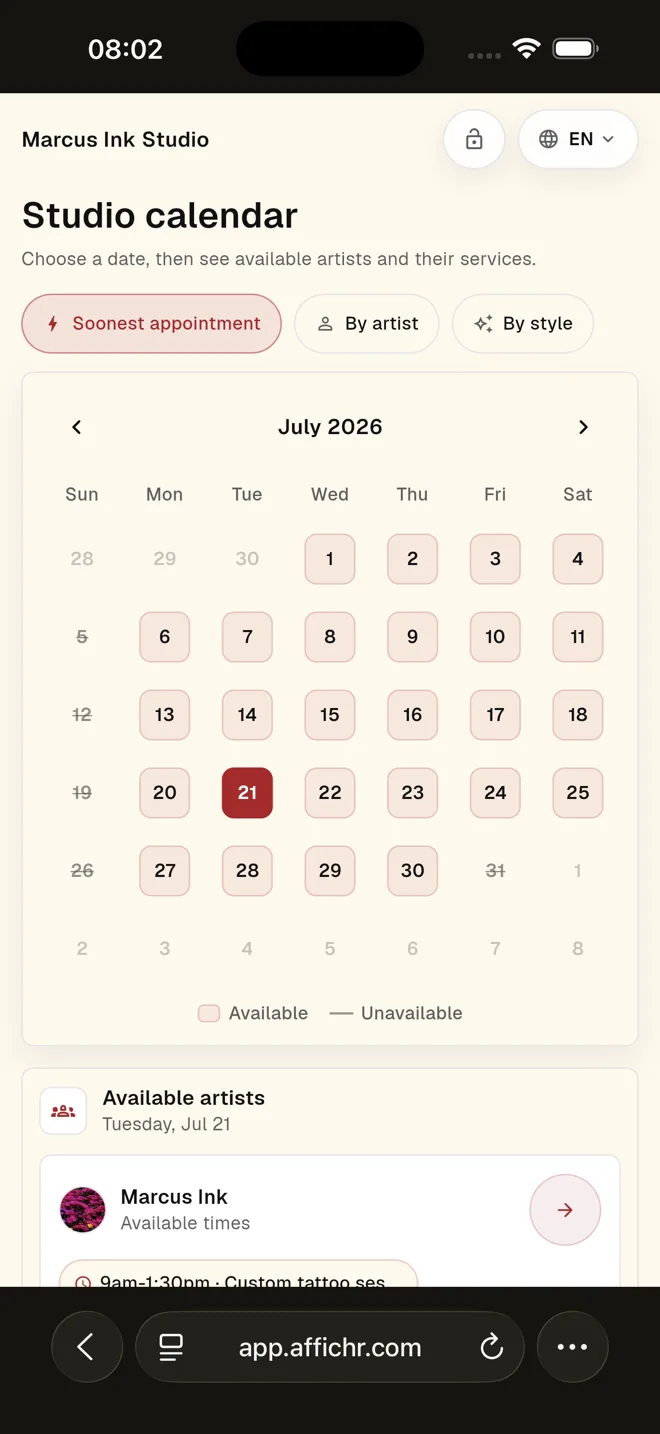
Public Affichr studio page showing a tattoo studio calendar and available artists
Public studio calendar in Affichr: clients can explore artists and availability. Custom projects still go through artist review before confirmation.

Direct answer

What does tattoo shop management software do?

Tattoo shop management software keeps booking requests, artist assignments, schedules, deposits, client history, consent, and follow-up connected across a studio. Affichr starts with the tattoo project: the shop reviews each request, routes it to the right artist, and offers controlled times before an appointment is confirmed.

The team should not have to remember the whole shop.

Requests, references, deposits, drawings, openings, and follow-up create the daily mess. Affichr keeps that work beside the calendar so the right artist or manager can see it before it gets lost.

What Studio mode adds

  • Public studio booking page for clients who know the shop before they know the artist.
  • Artist invitations and request routing to the right person.
  • Owner, manager, and artist roles so the front desk can help without exposing everything.
  • Role-aware booking and scheduling visibility across the studio.
  • Artist-specific services and availability.
  • Deposits, reminders, openings, and cancellation broadcasts kept near the booking.
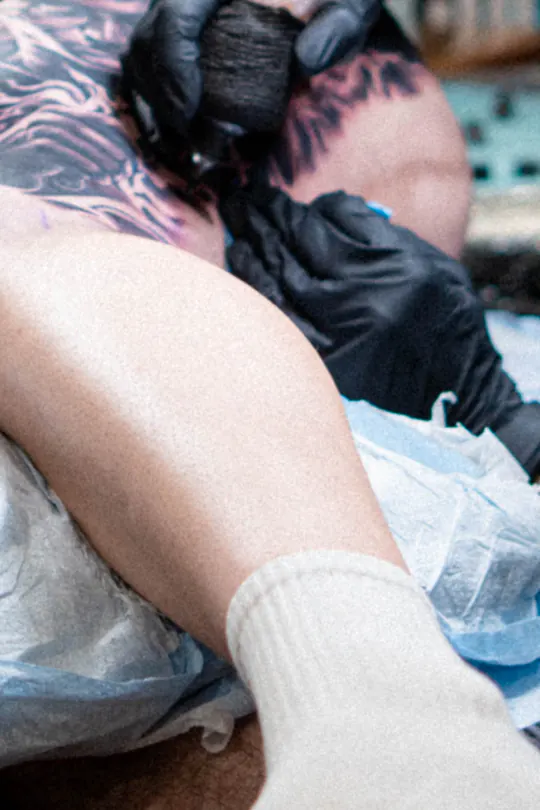
Close-up of a tattoo artist’s gloved hands at work.

A live shop, not a clean dashboard

While the artist tattoos, the rest of the shop keeps moving.

Requests need routing. Deposits need checking. Openings need filling. Affichr keeps those decisions visible to the right people while the artist stays with the client in the chair.

Chair time / shop time

Role-aware studio workflow

Who sees what, and what happens next.

Shared does not mean exposed. Each role gets enough context to move the booking forward while the artist keeps the project decision.

Studio roles, visible work, and the next useful action
Studio role Work kept visible Next useful action
Owner Membership, studio booking setup, shared calendar state, and team-level loose ends. Next: set access, invite the team, or follow the missing step.
Manager or front desk Incoming requests, assigned artist, deposit state, openings, and booking status. Next: route the request or bring the right person into the thread.
Tattoo artist Idea, placement, references, client context, timing, and the artist’s own schedule. Next: ask for more, decline, or offer up to four suitable times.

One request through the shop

Route the project. Let the artist decide. Confirm the booking.

Each handoff has a clear owner and a next step. A routed request, a chosen time, and a confirmed appointment are different states.

  1. Route the complete request

    The client sends the idea, placement, references, and availability. The shop routes the project to the artist who should review it.

    Next: artist review. Routing does not confirm an appointment.

  2. Keep the artist’s decision

    The artist checks project fit and duration, asks for details if needed, and can offer up to four selected times. The client chooses from those options.

    Next: check the chosen time against the booking requirements.

  3. Check payment and confirmation

    Keep the deposit status with the booking. When a deposit is required, check that payment and the studio’s confirmation requirements are met before treating the appointment as confirmed.

    Next: prepare the confirmed session with its request and client context.

Deposit collection depends on Stripe setup and the artist’s booking rules. See how deposit status stays with the booking.

Studio questions

Before the team moves in.

The boundaries matter as much as the feature list.

How does Affichr help a multi-artist tattoo shop?

Studio mode provides a public studio booking page, artist invitations, request routing, owner, manager, and artist roles, and shared scheduling and booking visibility. Each artist can still control services, availability, project fit, and the times offered.

Can clients book any open time in Affichr?

Not for custom tattoo requests. The client sends project context first. The artist reviews the idea, placement, references, and timing, then can offer up to four suitable times before confirmation.

Can every studio member see every private client note?

No. Shared studio visibility is role-aware and follows configured access. Working in one studio does not make every private client note or design visible to every member.

Does Affichr replace a tattoo shop POS, payroll, accounting, or inventory system?

No. Affichr focuses on booking requests, scheduling, deposits, reminders, clients, designs, cancellations, and studio follow-up. It is not a full retail POS, payroll, accounting, or inventory suite.

Put a shop manager around your studio.

Choose the plan for the way you work: Free to start, Pro for an individual artist’s expanded tools, and Studio for team routing and shared work.

The seven-day Pro trial is for eligible new artists; Studio is a separate subscription. Review the current plans or ask about your studio setup.

Start free