Affichr

Tattoo appointment scheduling that starts with the project.

Review the placement, size, and references before estimating session duration. Then offer up to four suitable times and track the deposit and client confirmation before the appointment is confirmed.

Schedule after the request makes sense

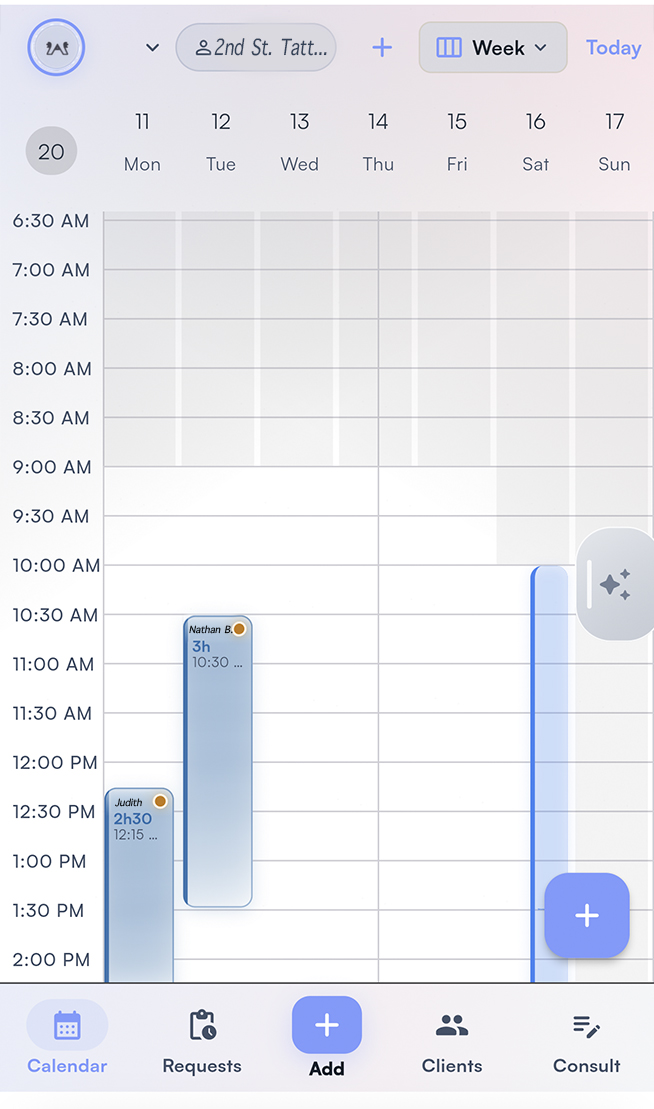
Affichr tattoo appointment scheduling calendar

Decide how much time the tattoo needs.

A client can describe a small tattoo that needs more time than they expect. Review the size, placement, detail, and references, then set a duration before choosing appointment options. In Affichr, the artist chooses which times to offer; clients choose from those options. Use the booking software checklist to test duration, time offers, and confirmation together.

From estimated duration to confirmed time

  • Review the project and estimate the session duration before offering a time.
  • Choose up to four suitable time options. The custom-work calendar stays under artist control.
  • Keep an accepted request distinct from an appointment awaiting a deposit or client confirmation.
  • When a session moves, review its date, duration, and confirmation state, then check the client-facing update.


An example: the reference changes the duration.

A client requests a forearm piece and suggests a short visit. After reviewing the references, you estimate a longer session. Set that duration, choose times that can accommodate it, and send the options. A selected time still follows the applicable deposit and confirmation rules.

  1. 1Review the references
  2. 2Set the duration
  3. 3Offer suitable times
  4. 4Check confirmation

Scheduling questions

Before a time becomes a booking.

Duration, selected times, and confirmation each need their own check.

How do I choose the duration of a custom tattoo appointment?

Review the idea, placement, size, detail, and references before setting a duration. The artist estimates the time needed and chooses appointment options that fit. A client's preferred window is a request, not a confirmed duration.

Does Affichr expose the whole calendar to clients?

No. For custom tattoo work, the artist can offer up to four selected times after reviewing the project. Clients choose from those options rather than browsing every opening.

When does an appointment become confirmed?

Accepting a request or choosing a time does not by itself prove confirmation or payment. Deposit-required appointments follow the verified payment and confirmation path. Without a required deposit, the applicable client confirmation action is still needed.

What should I check when rescheduling a tattoo session?

Review the new date, session duration, artist availability, deposit status, and confirmation state. Check the client-facing appointment details after the change. If you also use a paper agenda or another calendar, check that record too.

How does this fit a multi-artist tattoo studio?

Studio mode adds request routing and shared scheduling visibility according to membership and role permissions. Each artist still reviews project fit, duration, and the times offered. Studio access does not expose every private artist note.

Keep scheduling under artist control.

Review the tattoo, allow enough time, and offer options you can stand behind. Keep the deposit and confirmation state clear before the session.

Start booking